When reading RSS feeds in Outlook 2010, I was always bothered when images were automatically downloaded. When reading feeds in my RSS reader, I prefer to focus on the content rather than an image. In particular, I’ve noticed that a number of RSS feeds are now including very large images in their RSS feeds which caused me to have to scroll a full page-length before I was able to read the content.
Outlook has an option to disable image downloads in RSS feeds, but it was a bit tucked away. Here’s how to enable the feature:
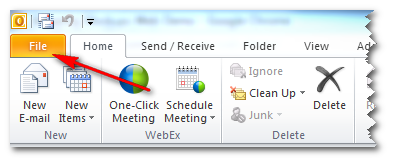
- Open Outlook and click the File tab
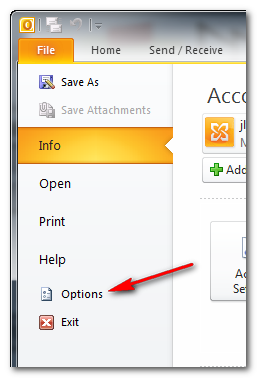
- Select the options item from the left menu
- In the window that pops up, select the Trust Center tab on the left, then click the Trust Center Settings button in the pane on the right.

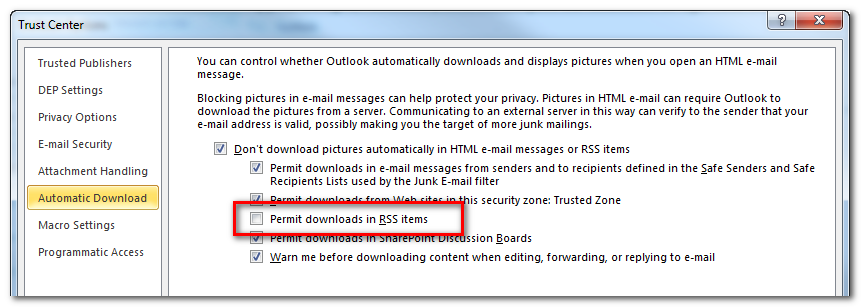
- Select the ‘Automatic Download’ tab, then uncheck the ‘Permit downloads in RSS items’ checkbox.


Leave a Reply