After installing Windows 8 on one of my test computers (a Panasonic ToughBook CF-19), I noticed that I had lost my option to dual boot Windows XP and Windows 8. The new bootscreen for Windows 8 is really nice – it has the metro look, it’s touch friendly, and it’s mouse friendly – but it didn’t automatically add a boot option for my Windows XP installation which was pre-existing on the computer.
Here’s how you can dual boot Windows 8 with a Windows XP option.
- Boot into Windows 8
- Navigate to the traditional Windows Desktop
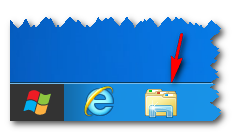
- Open a file explorer window
I find the easiest way to do this is just to click the folder icon from the start menu
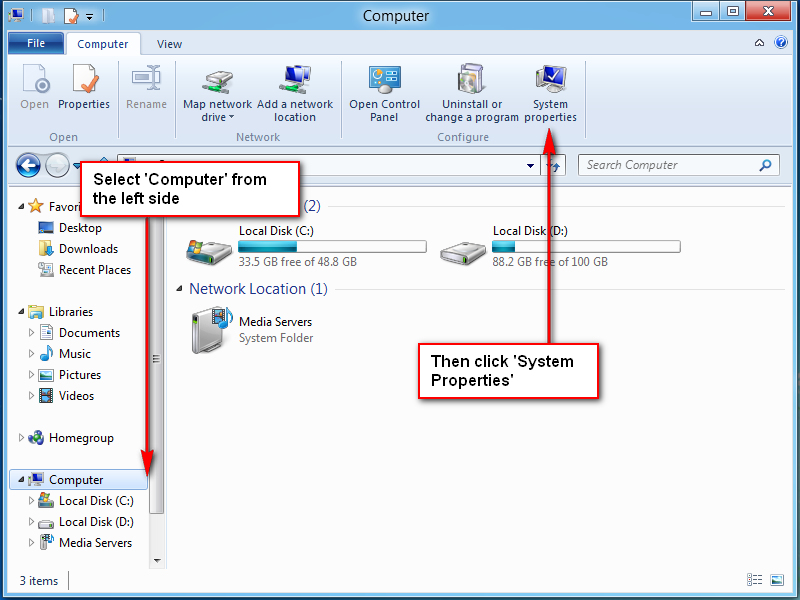
- Navigate to the “Computer” option
The easiest way to do this is to click the Computer option in the left side of the file explorer - Click the “System Properties” button in the ribbon at the top
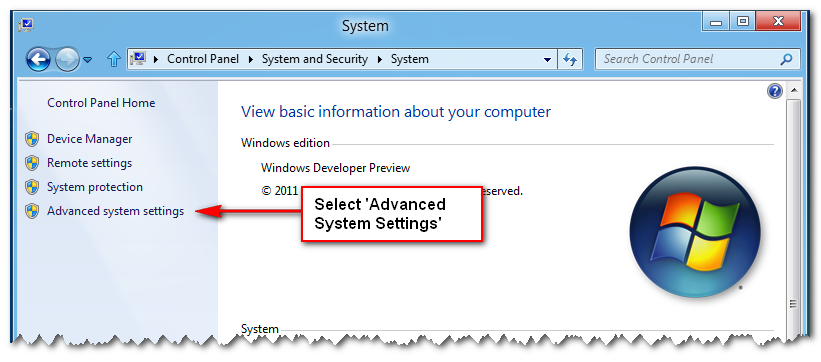
- Click “Advanced system settings” in the left pane
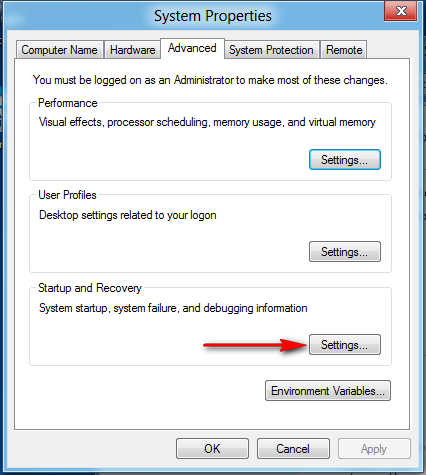
- In the Startup and Recovery section of the window that pops up, click the “Settings” button (on the Advanced tab of System Properties)
- Change the “Default operating system” option from “Windows Developer Preview” to “Earlier Version of Windows”
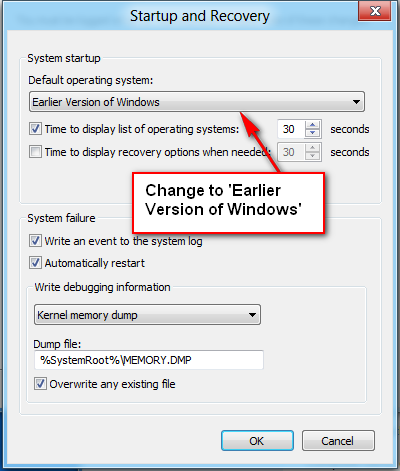
- Click Ok to close the settings popup, then click Ok again to close the system properties menu
- Reboot and you should be presented with an option to boot into Windows XP (Earlier Version of Windows) or into Windows 8 (Windows Developer Preview).


Leave a Reply